FreeBetRange Review: A Comprehensive Platform for Preflop Study
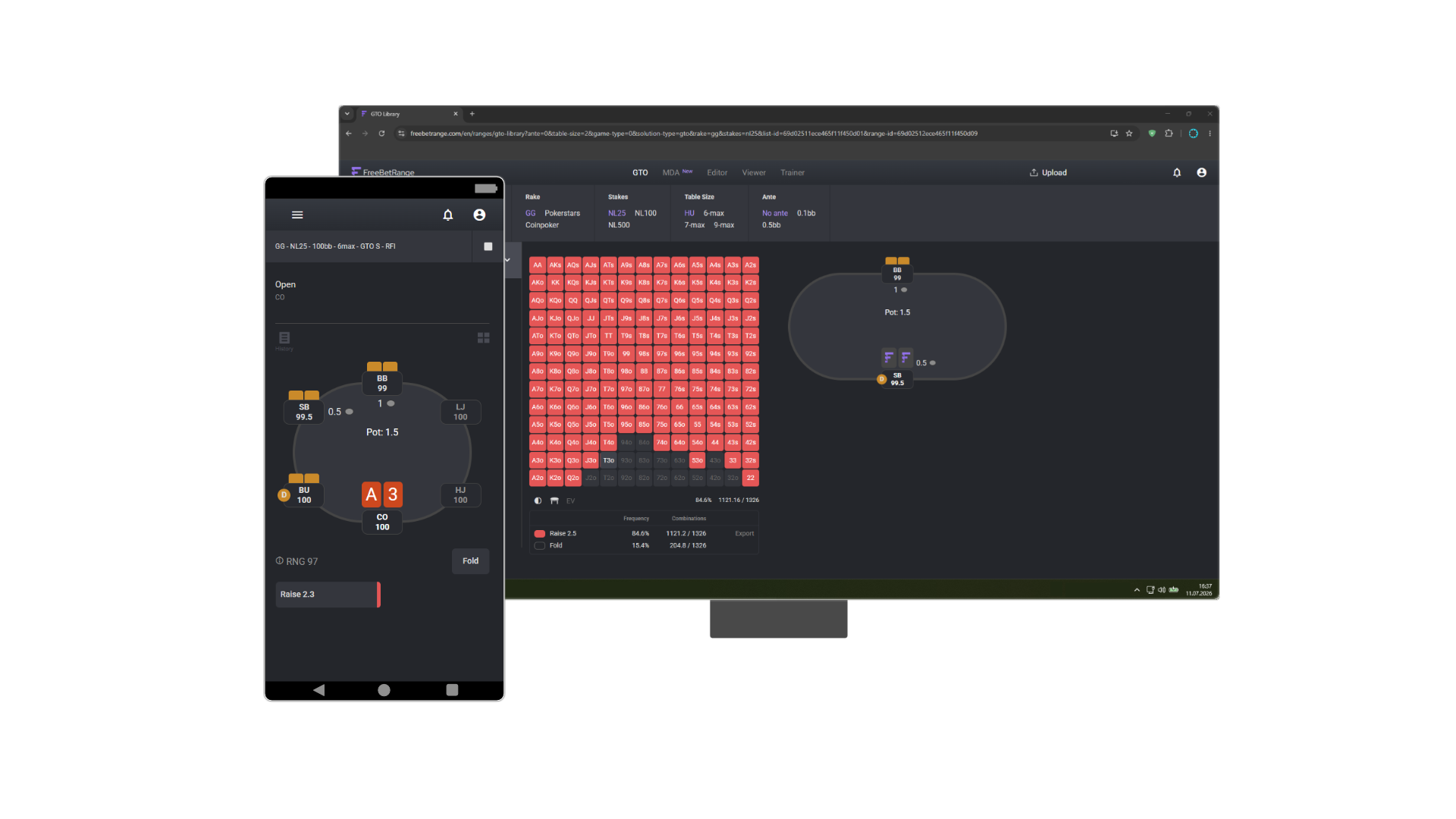
If you take preflop strategy seriously, sooner or later a question comes up: where do you store ranges, how do you train them, and where do you get an up-to-date database? FreeBetRange is an online platform that covers all of these needs in one place. It’s used by more than 50,000 players worldwide—from amateurs just starting to understand positional ranges to professional coaches building strategies for their students.
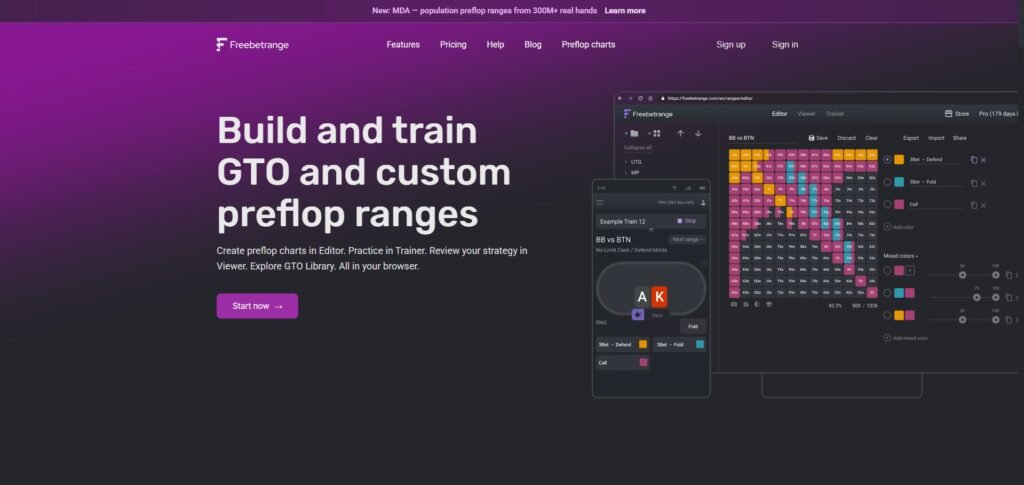
The key difference between FreeBetRange and traditional tools is that it runs entirely in your browser. No downloads or installation needed. Open a tab, log into your account—and you’re ready to go. It works on any device: desktop, tablet, or phone. All your data is always synced across devices.
In this review, we’ll break down each of the platform’s five sections, explain the pricing logic, and help you figure out which set of features fits your needs.
Section 1. GTO Library — ready-made ranges for study
This is a library of prebuilt GTO solutions. The ranges cover all major formats:
- Cash — 6-max and full ring at different stack depths
- MTT — from early stages to final tables
- Spin & Go — three-player hyper-turbos
- MBR — mixed rake format
The Pro plan includes over 100,000 ranges in the library. For every spot, you can see which hands and frequencies GTO recommends: open, 3-bet, call, fold—all displayed on a 13×13 matrix.
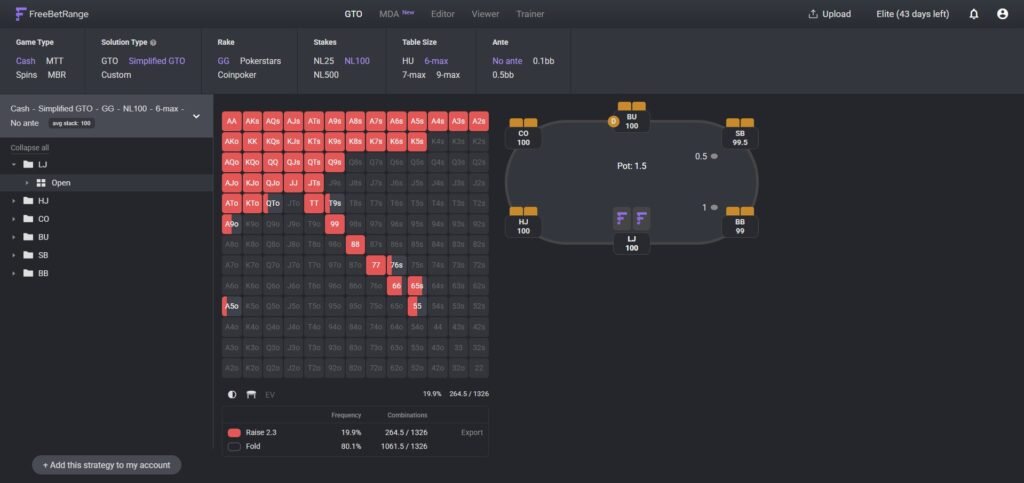
An important detail: any range from the Library can be added to your account. Once added, it appears in the Editor, where you can customize it—for example, making it more exploitative against specific opponent types.
Section 2. MDA — ranges based on real hands
MDA (Mass Data Analysis) is one of the most powerful features of FreeBetRange. Instead of theoretical GTO calculations, it provides ranges built from over 300 million real cash game hands.
Why does this matter? GTO tells you how to play optimally. MDA shows how the field actually plays—both regs and recreational players. When you know the range of a specific opponent type, you can:
- Analyze hands more accurately after play
- Build counter-strategies for specific archetypes
- Better understand where the field deviates from GTO and what that leads to
Filters let you select the exact combination of parameters you need:
- Room: major poker sites (Stars, GG, WPN…) or poker apps (PokerBros, PPPoker…)
- Stakes: NL25–50, NL100–200, NL500+
- Table size: HU, 3–6 max, 7+ max
- Ante: yes / no
- Player type: reg, fish VPIP 35–50, fish VPIP 50+
Whenever you change a filter, the decision tree updates automatically.
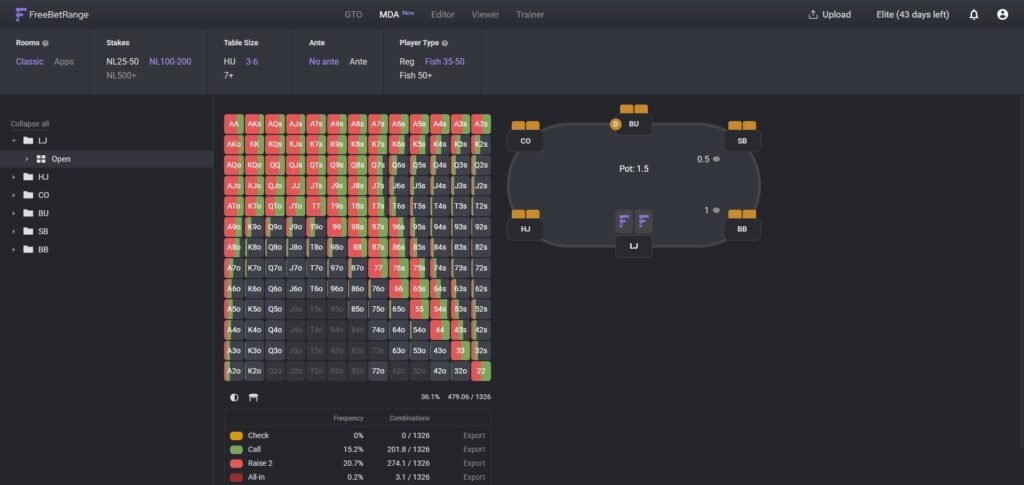
Any range from MDA can be exported in one click and loaded into PioSOLVER or GTO+ to calculate the optimal response against that archetype. MDA is available only in the Elite plan.
Section 3. Viewer — convenient range visualization
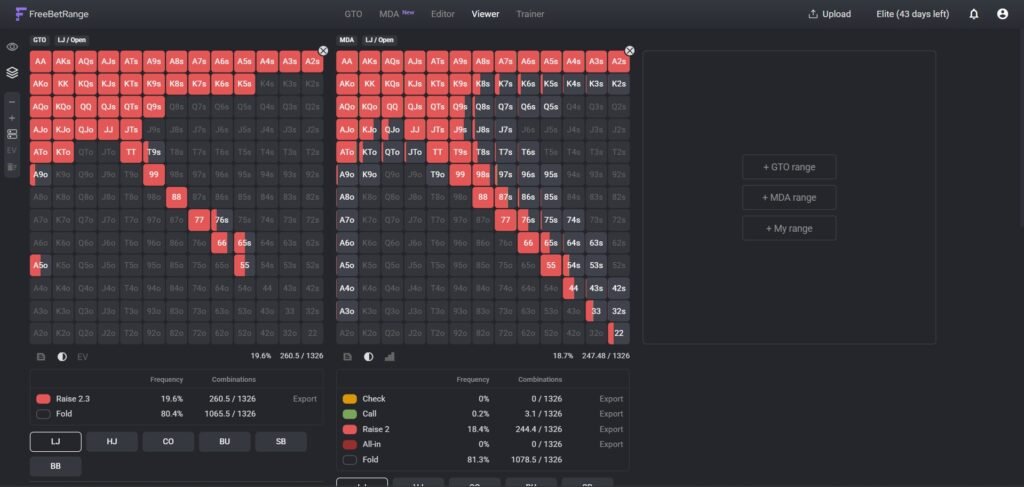
Viewer is designed for visual range study. You don’t edit or train here—you simply explore ranges. And you can do it efficiently by displaying multiple ranges side by side and comparing them.
For example, you can place a GTO BTN opening range next to a reg’s range from MDA and instantly spot where the reg underplays or overplays compared to GTO. This is valuable both for self-study and when working with a coach.
Section 4. Trainer — range training
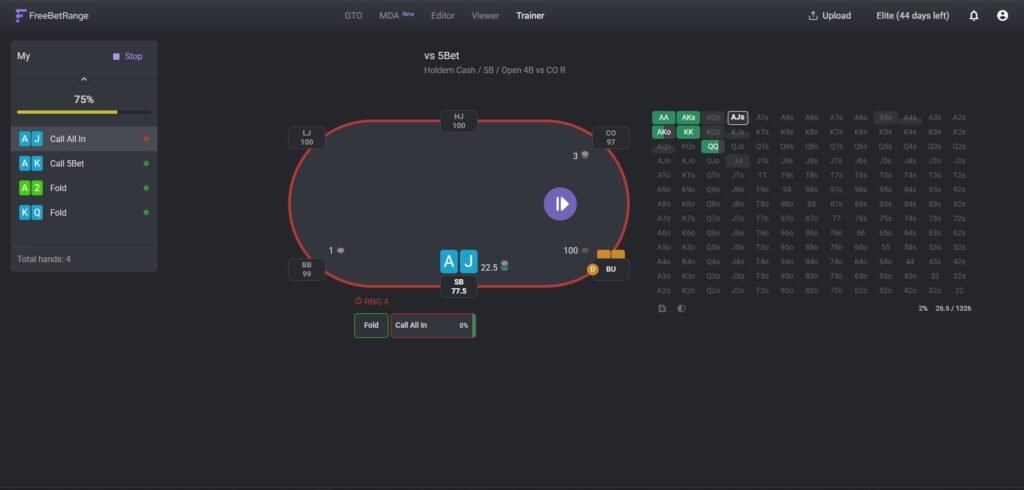
Trainer is where ranges move from theory into long-term memory. There are two modes:
Classic Mode
You’re dealt two cards and make a decision—fold, call, or raise—just like at a real table. The platform checks your answer and shows whether it matches the range. With repetition, decisions become automatic: instead of thinking “what does the range say,” you simply know.
Range-Drawing Mode
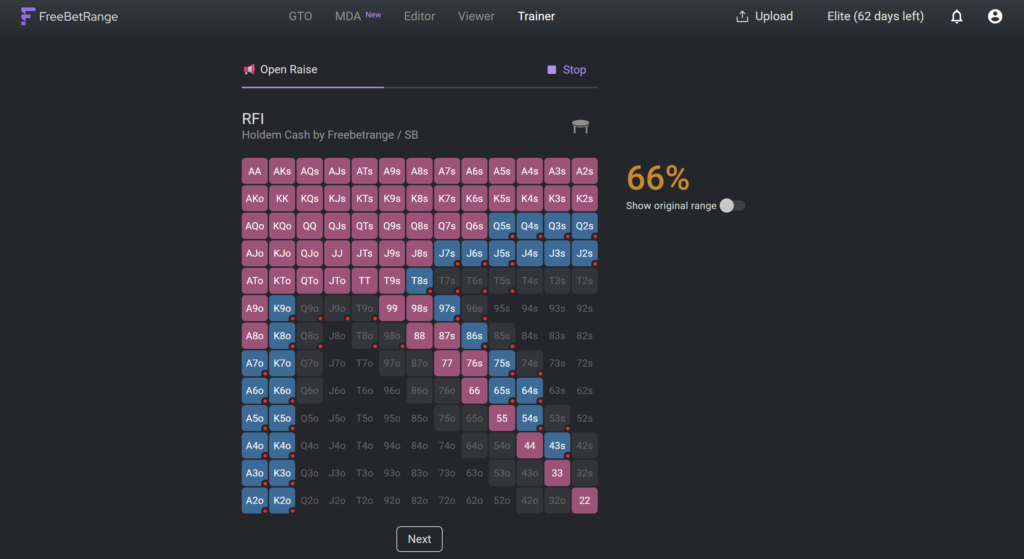
Here you recreate an entire range from memory by filling in the 13×13 matrix yourself. After completion, the platform compares your version with the reference and shows your accuracy. This mode helps you understand ranges as a complete system rather than a set of individual hands.
Both modes complement each other. Practicing in Classic doesn’t replace Range-Drawing, and vice versa—they serve different purposes.
The free plan includes limitations: up to 50 hands and 5 ranges per day. Pro removes all limits.
Section 5. Range Editor
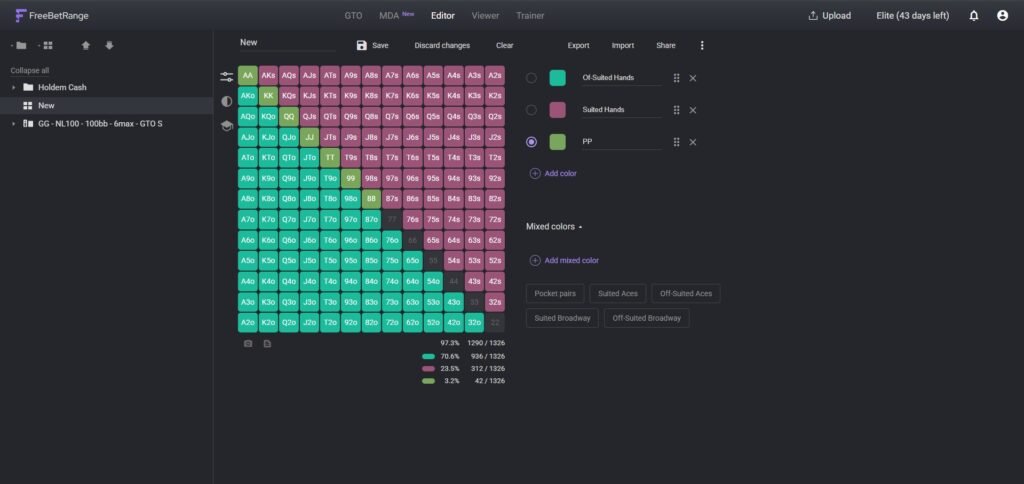
The Editor is the main tool for those who want not just to study ready-made ranges, but also create their own. It allows you to:
- Create ranges from scratch
- Modify GTO solutions from the Library
- Build exploitative ranges for specific opponents
- Receive ranges from a coach and share them with students
In the Pro plan, the Editor supports up to 40 colors to label different hand categories and actions, as well as weights for mixed strategies. For example: red for hands always raised, orange for hands raised only when a recreational player is in the blinds, blue for 3-bet calls against aggressive regs.
Import and export
FreeBetRange supports importing ranges from 15+ tools: GTO Wizard, Equilab, Flopzilla, PioSOLVER, GTO+, Hand2Note, and others. This means you don’t have to start from scratch if you already have ranges in another format.
Export is available in similar formats. There’s also a Quick Share feature: with one click, you generate a link to any range, which you can send via messenger, post on forums, or share with a coach. The recipient can open the range without registration.
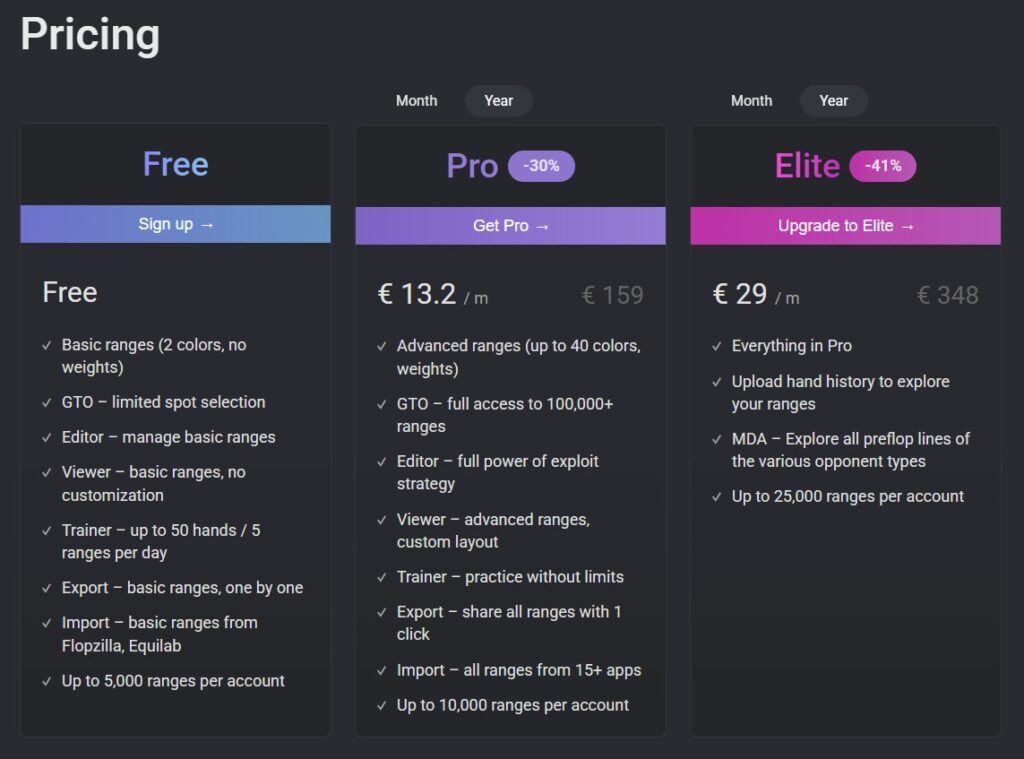
Pricing: what to choose
FreeBetRange offers three main plans:
Free — $0
Great for getting started. Basic ranges (2 colors, no weights), limited Library access, Trainer capped at 50 hands per day, import only from Flopzilla and Equilab. Up to 5,000 ranges per account.
Pro — $13.2/month (or $159/year)
The main working plan for most players. Full access to the GTO Library (100,000+ ranges), unlimited Editor, no Trainer limits, import from 15+ tools, bulk export. Up to 10,000 ranges.
Elite — $29/month (or $348/year)
For those who need MDA and hand history analysis. Includes everything in Pro, plus full MDA access, hand history uploads, and an extended limit of 25,000 ranges.
It’s also worth highlighting the Teams plan
A special plan for poker schools and teams. Includes discounted bundle licenses and access to a team dashboard for managing accounts and tracking training progress.
Who uses FreeBetRange
More than 50,000 players are registered on the platform, including:
- Beginners building their understanding of positional ranges
- Mid-stakes regulars refining GTO ranges and searching for exploits
- MTT players who need tournament ranges with ICM logic
- Coaches working with students through range sharing
- Poker schools and teams using the Teams dashboard
The platform supports 13 interface languages, including Spanish, Russian, and Portuguese.
Summary: what FreeBetRange offers
FreeBetRange covers the entire preflop workflow: learning GTO through the Library, understanding the field through MDA, creating and adjusting ranges in the Editor, and drilling them to automaticity in the Trainer. All in your browser, with no installation and seamless sharing.
Most competing tools focus on one or two tasks: some store ranges, others train them, and others analyze the field. FreeBetRange combines all these functions into a single platform with one account and a shared database. This means any range you find in the Library or create in the Editor is instantly available for training in the Trainer and viewing in the Viewer—no exporting, re-saving, or extra steps.
If you take your preflop strategy seriously, FreeBetRange is a tool that makes your work more complete—and significantly more efficient.
Master GTO preflop strategy, build your own ranges, and train smarter — all in one powerful tool.
Try FreeBetRange