How to Create Your Own Preflop Ranges: A Step-by-Step Guide
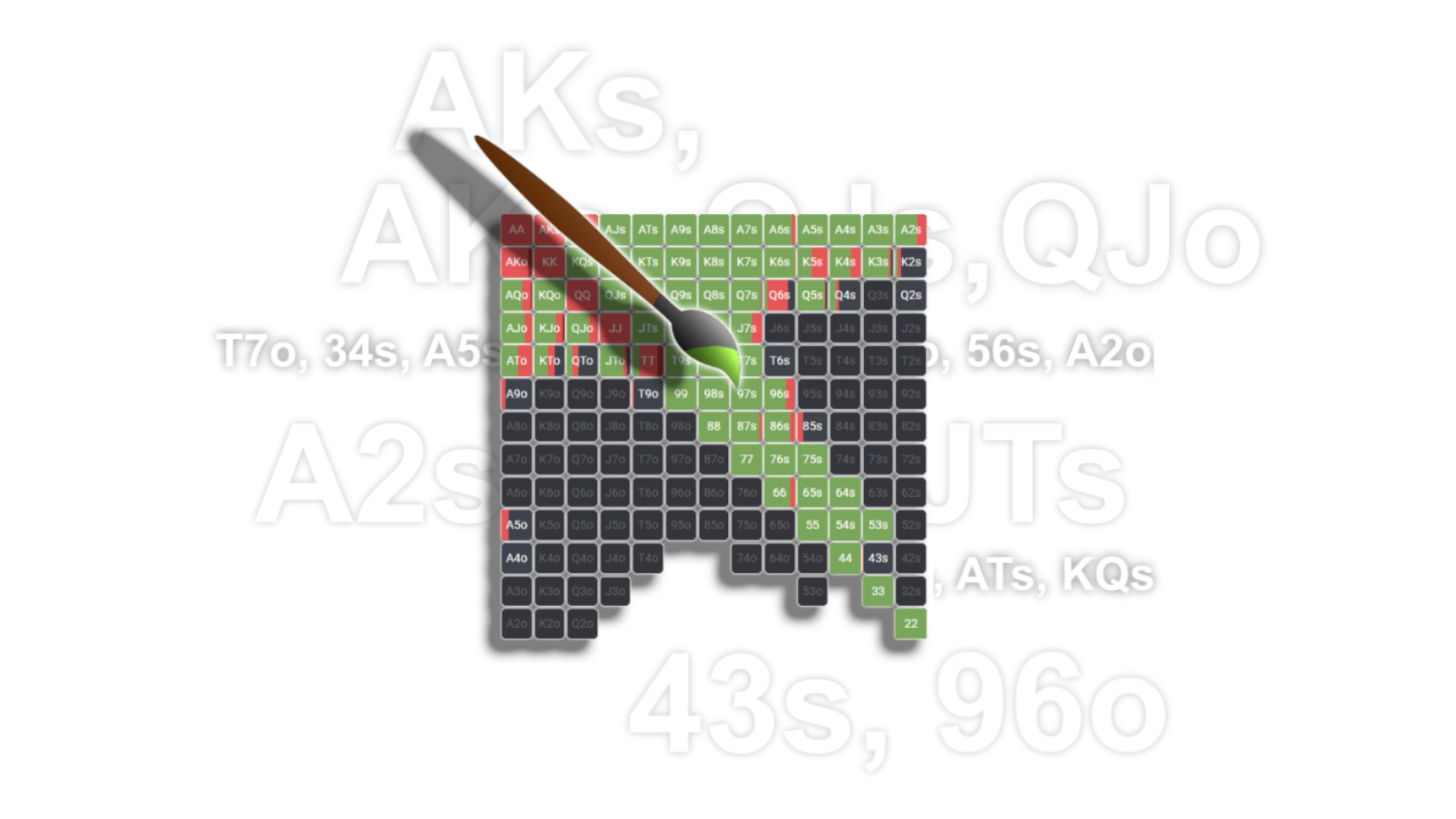
Most poker players run into the same issue at some point: you grab a range from the internet, start playing with it — and something feels off. The range might seem too wide for your games, your coach might recommend something different, or you switch formats and realize your old ranges don’t fit anymore. The problem isn’t that the range is bad. The problem is that it’s someone else’s, and it doesn’t account for your specific situation.
A custom preflop range is your personal strategy, tailored to your exact conditions: your poker room, your stakes, your player pool. In this article, we’ll walk through the full process of building one — from choosing the right baseline to training the final result. We’ll use FreeBetRange as our tool, since it has everything you need to work with ranges in one place.
Why you should create your own ranges instead of using ready-made ones
A ready-made preflop range is a good starting point. But it’s always designed for average conditions: a specific rake, stack depth, and player pool. As soon as even one of these factors differs significantly from your actual games, the range starts to break down.
Let’s look at three situations where a custom range gives you a clear edge:
Situation 1: Your player pool tendencies. If most players at your tables overfold to 3-bets and don’t defend their blinds properly, a standard GTO range won’t fully exploit these leaks. A custom exploitative range lets you systematically capitalize on them.
Situation 2: Working with a coach. Your coach gives specific advice: “add these hands from this position,” “remove these from your 3-bet bluffs.” A custom range lets you lock in, structure, and consistently practice exactly the ranges you’re working on.
Situation 3: Moving to a new format or stake. When you switch formats (cash → MTT, 6-max → 9-max) or stakes, standard ranges need adjustments. A custom range lets you make those changes deliberately instead of guessing.
Step 1. Choose the right baseline
You don’t need to start from scratch — and you don’t need to be a solver expert. The right approach is to take a solid prebuilt range and adapt it to your needs.
Where to get a baseline range
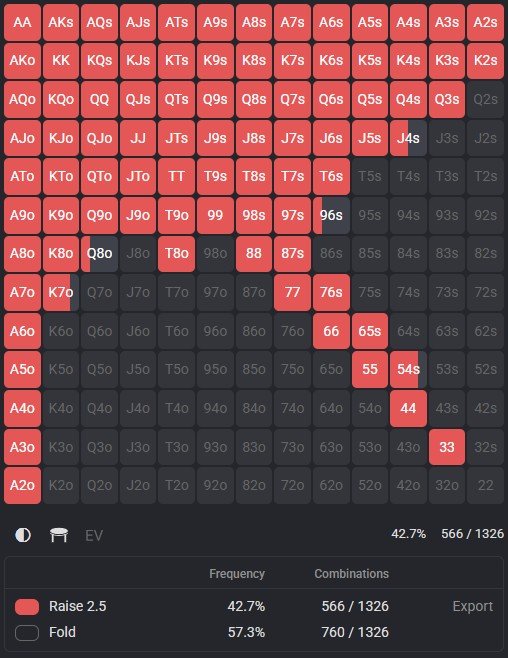
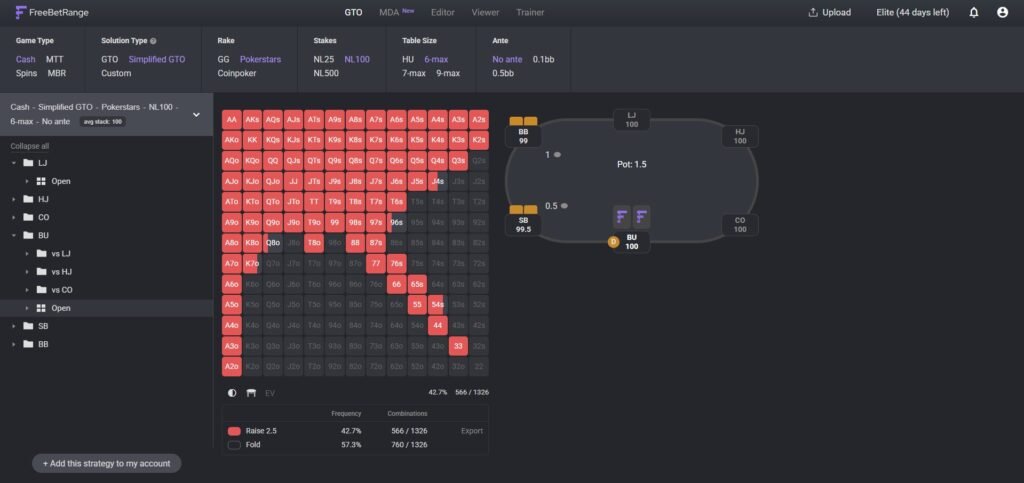
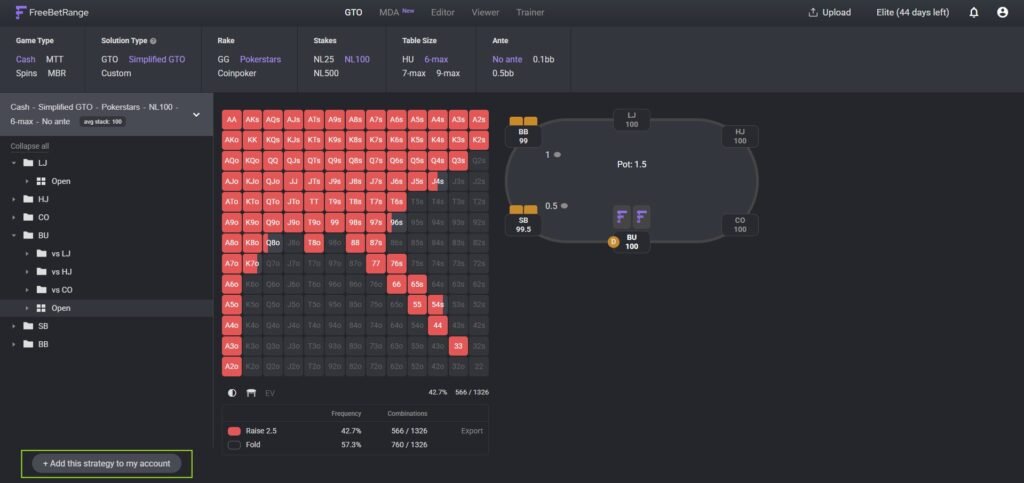
From the FreeBetRange library. This is the easiest option. The GTO Library contains GTO ranges calculated by professional players using the HRC solver. You can choose ranges based on your format (Cash, MTT, or Spin&Go), stack depth, and stakes.
The library offers two types of GTO solutions:
- GTO — a full solution with mixed frequencies; precise but harder to memorize
- Simplified GTO — the same ranges, but all mixed frequencies are rounded to clear values (0%, 25%, 50%, 75%, 100%), making them much easier to use in practice
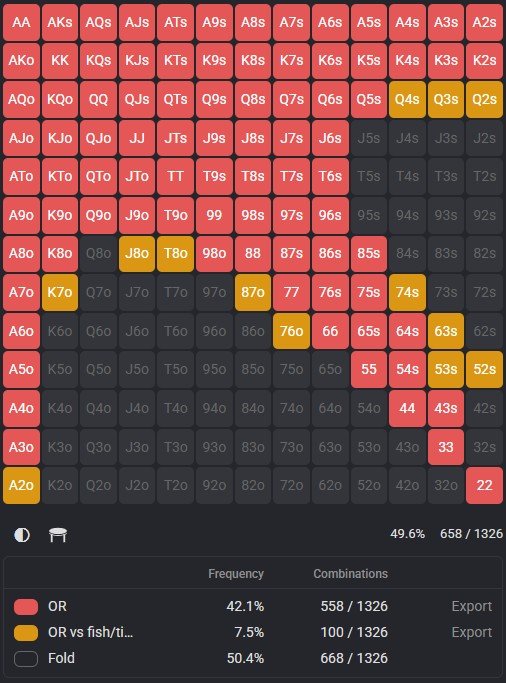
From Custom packages. The same library also includes a Custom section — ranges created by coaches and poker schools, combining a GTO foundation with exploitative adjustments for real games. If you play a specific format with a particular rake structure, these packages can be more accurate than pure GTO.
How to add a baseline to your account
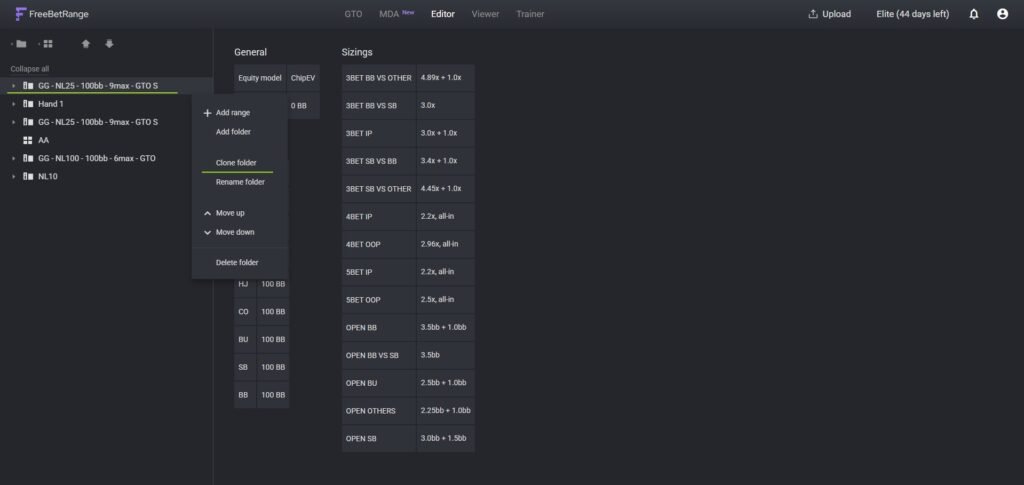
Once you find a suitable range in the library, click “Add to account.” The range will appear in your Range Editor. To avoid modifying the original while building your custom version, use Clone Folder — create an exact copy and work on that.
Step 2. Adjust your opening ranges to your conditions
Opening ranges (RFI — Raise First In) are your foundation. This is where you define which hands you enter the pot with from each position.
What affects opening range width
Position. This is the most important factor. The later you act, the wider you can open: fewer opponents can have strong hands, and you’ll more often play postflop in position. BTN opens much wider than UTG.
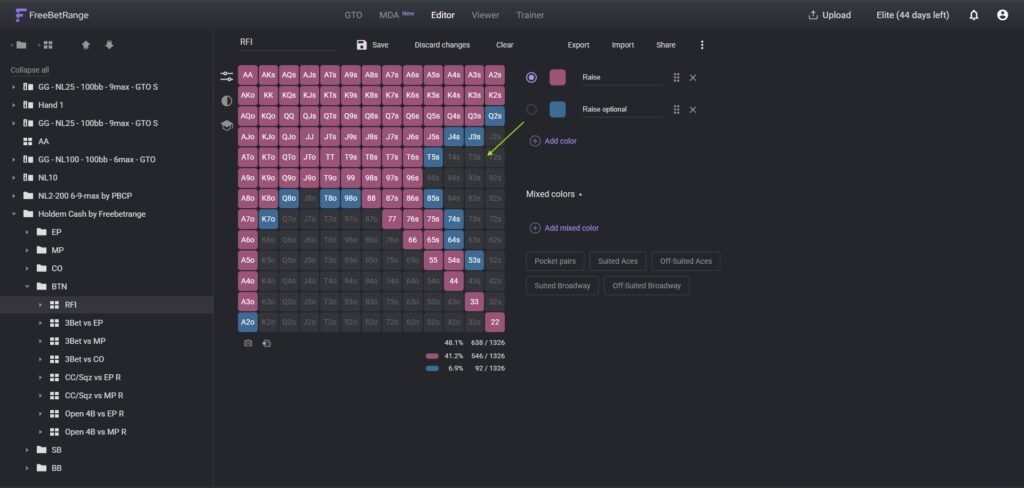
Player types behind you. If there’s a weak player (fish) in the BB, you can widen your opening range because you expect to realize more value postflop. That’s why FreeBetRange allows a second color in the editor: one for “always open,” and another for “open only vs weak BB.”
Rake. High rake makes some marginal hands unprofitable — especially from early positions. On high-rake sites and stakes, you should tighten your EP ranges slightly.
How to do it in the Editor
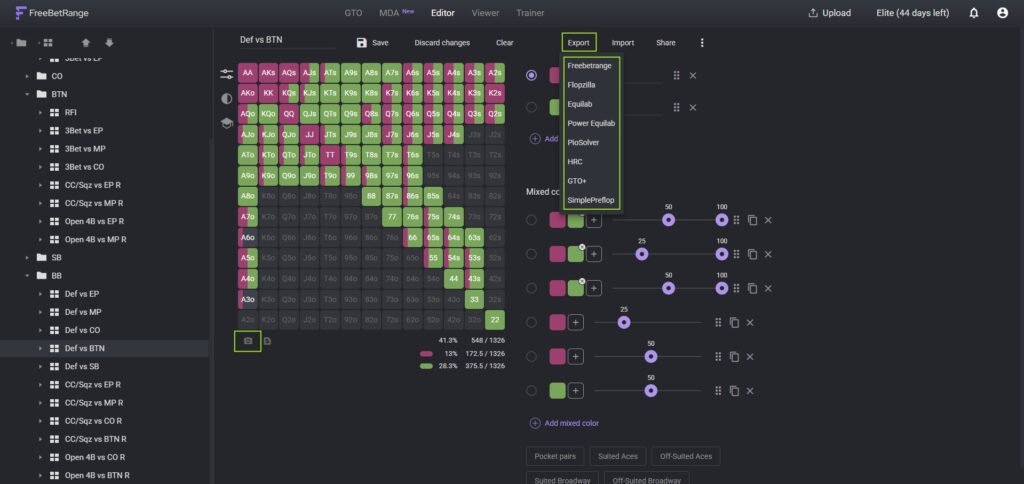
Open the folder for the position you want to adjust. In the 13×13 matrix, click hands to add or remove them. Choose the appropriate color (primary for baseline opens, secondary for conditional ones). Changes are saved automatically.
Practical adjustment rules
- Adjust hands in small groups: start with one category of marginal hands (e.g., weak offsuit aces), evaluate the logic, then move on
- Every change should have a clear reason: “I add A3o on BTN because blinds overfold to steals”
- Avoid large deviations from GTO without exploitative justification — they create leaks in your range
Step 3. Build your 3-bet and defense ranges
3-bet and blind defense ranges are the next layer of your custom setup. They determine what happens after someone has already opened.
3-bet range structure
A solid 3-bet range consists of two parts:
- Value hands — strong hands you’re happy to get money in with preflop (AA, KK, QQ, AKs, etc.)
- Bluffs — hands too weak to call profitably but that benefit from fold equity (small suited connectors, weak suited aces)
The goal is balance: if you only 3-bet premium hands, opponents will overfold and you lose value from bluffs. If you only bluff, you lose EV when called.
BB defense range
The BB has to defend wide because it already has money invested and gets a good price to call. The key rule: defend often enough so BTN can’t profitably open any two cards.
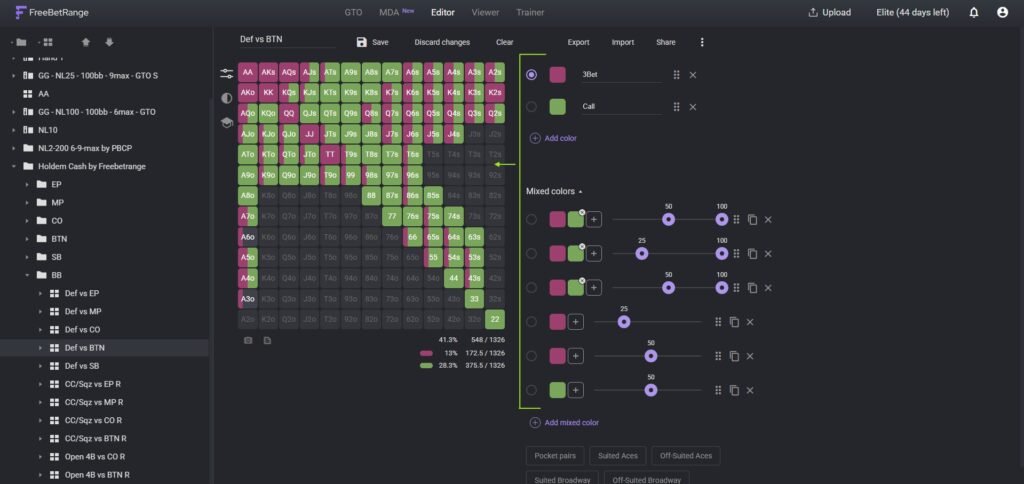
In your custom ranges, you can split defense into 3-bets and calls. The general idea: 3-bet strong hands (often polarized) and hands with good blocker effects, while calling with medium-strength hands (pairs, suited connectors).
Implementation in FreeBetRange
For each opening range, create subranges (folders within folders). For example, inside CO Open Raise, create: “vs 3-bet from BTN,” “vs 3-bet from BB,” “vs 3-bet from SB.” FreeBetRange supports Clone Range — create one, clone it, rename it, and adjust the matrix for each position. This is much faster than building each range from scratch.
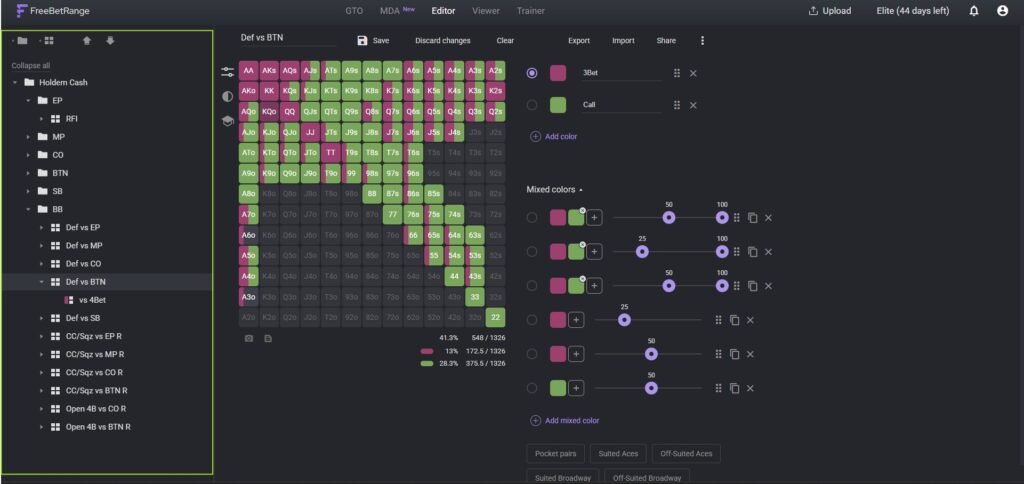
Step 4. Organize structure and set up colors
A well-structured range setup isn’t just a set of matrices — it’s a clear navigation system that’s easy to use both at the table and during study.
Recommended folder structure
Your Strategy
  └─ Format and Stakes (e.g., 6-max NL50)
       └─ Stack Depth (100bb)
            ├─ UTG / EP
            ├─ MP
            ├─ HJ
            ├─ CO
            ├─ BTN
            ├─ SB
            └─ BB
Each position folder contains an opening range and subranges for responses to 3-bets.
Color coding
FreeBetRange allows you to use different colors for different actions or conditions. A standard system might look like this:
- Primary color (e.g., green) — default action
- Secondary color (blue or yellow) — conditional action (e.g., vs weak player)
- Third color — mixed-frequency action
You can customize colors in Settings. This doesn’t affect the math, but it greatly improves usability.
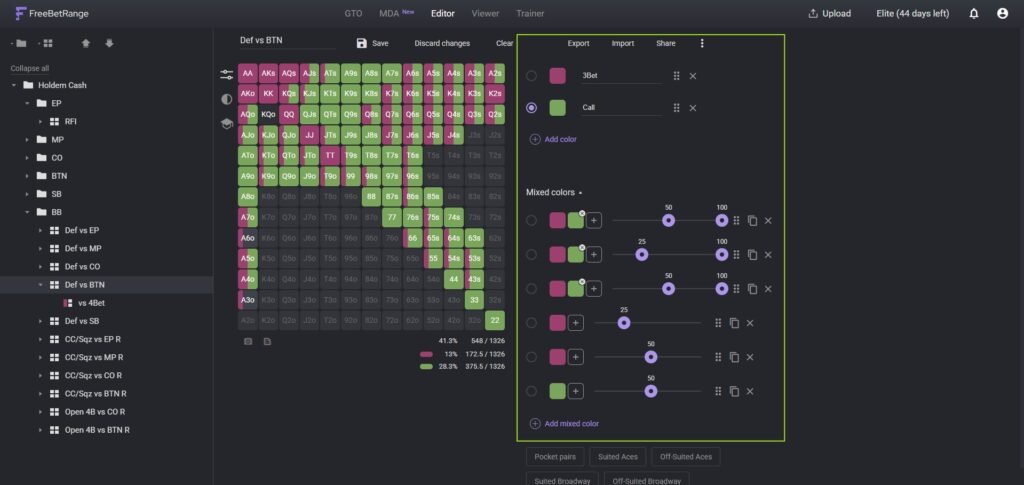
Step 5. Validate your ranges and start training
Your custom ranges need to be tested and trained until decisions become automatic.
Validation in Viewer
Open your custom ranges in the Viewer. Use Multi-Range mode to compare your version side by side with the baseline GTO from the library. Wherever your range differs, you should have a reason. If you see large unexplained deviations, it’s likely an editing mistake.
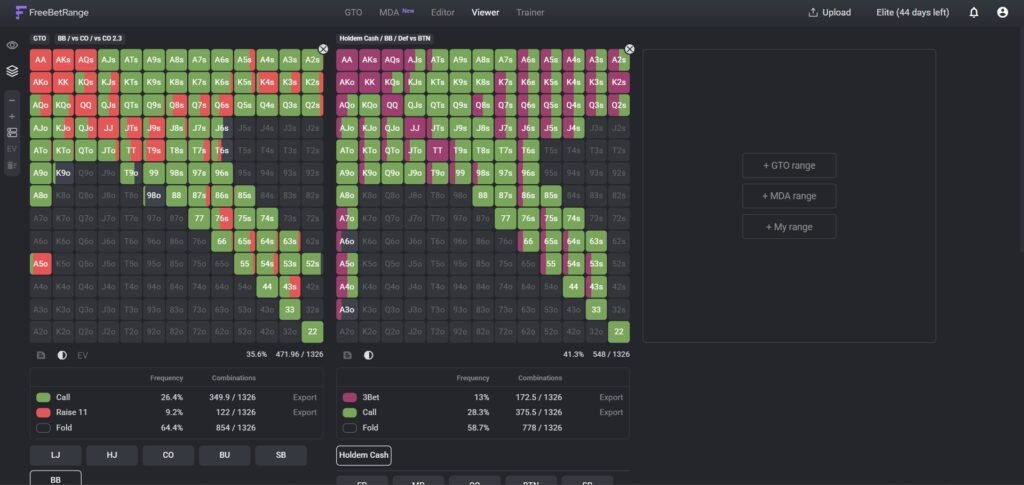
Training in Trainer
Trainer in FreeBetRange offers two modes:
Classic. You’re dealt random hands in a given situation and choose an action — fold, call, or raise. The software immediately shows whether your decision matches your range. Perfect for drilling specific spots.
Range Drawing. You’re given a scenario (e.g., CO vs 3-bet from BTN) and recreate the full range on an empty matrix. After finishing, you see your accuracy percentage and mistakes. This mode is especially useful for understanding overall range structure.
Pro tip: in Trainer settings, disable obvious hands (AA, KK) and focus on marginal ones — that’s where most real-table mistakes happen.
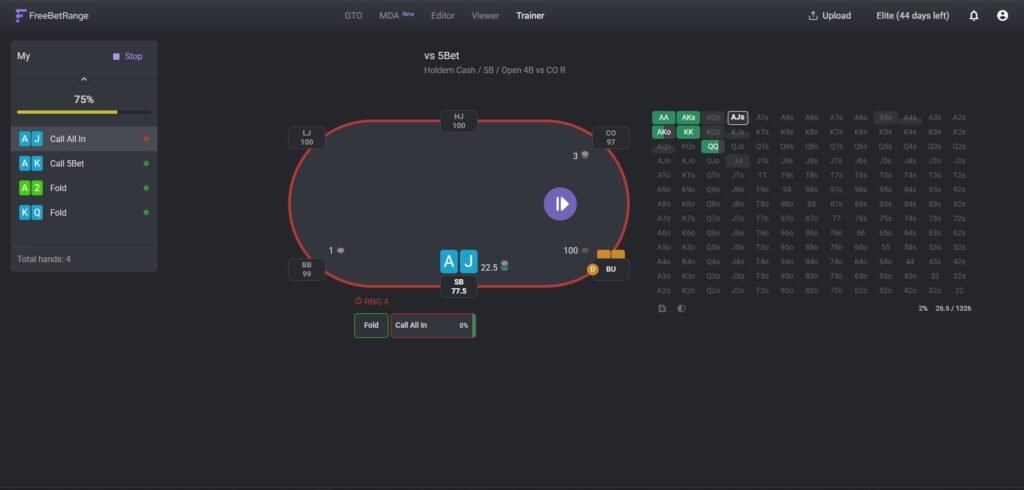
How to share your ranges with a coach or friends
FreeBetRange lets you generate a link to any range or folder in one click. Just copy the link and send it via any messenger. The recipient can open it without registration in view mode or import it into their account.
This is especially convenient for teamwork: a coach creates ranges and shares them with students, and students import and train with ready-made ranges without spending time building structure from scratch.
Common questions about building custom ranges
Do I need to understand GTO to build custom ranges? Basic understanding helps, but it’s not required. You can start with Simplified GTO from the library and make small, targeted adjustments with clear reasoning.
How long does it take to build a full set of ranges? If you use a library range as a base, it can take anywhere from one evening to a few hours. Building from scratch may take several days of intensive work.
How often should I update my ranges? When you change stakes, formats, or get new data about your player pool. There’s no need to update weekly — make changes deliberately and for specific reasons.
Can I build ranges for MTT or Spin&Go, not just cash? Yes. FreeBetRange supports all formats, and the library includes MTT and Spin&Go solutions. The process is the same, but you need to account for format specifics like ICM, changing stack depths, and antes.
Summary
Building custom ranges isn’t a one-time task — it’s an ongoing process:
- Choose a solid baseline range in the FreeBetRange library
- Clone the folder to preserve the original
- Adjust opening ranges to your conditions
- Build 3-bet and defense ranges using subranges
- Organize structure and configure colors
- Validate in Viewer by comparing with the baseline
- Train until your decisions become automatic in Trainer
FreeBetRange provides everything you need for this process in one place — from a library of precomputed baselines to a trainer where you lock in your results.
It’s important to understand that your custom ranges are a living system, not a final destination. Over time, you’ll better understand your games, receive new input from your coach, and move up in stakes. Each of these is a reason to return to the editor, make thoughtful adjustments, and run the updated version through Trainer again. That’s how you build a strategy that actually works in your specific poker environment — not just in theory.
Getting started isn’t as hard as it seems. Your first custom ranges don’t need to be perfect — what matters is that they’re yours, with clear reasoning behind each decision. They’ll improve over time. And FreeBetRange already gives you all the tools to make that happen.
Master GTO preflop strategy, build your own ranges, and train smarter — all in one powerful tool.
Try FreeBetRange