Poker Software for Beginners: Step-by-Step Learning Plan

When you start taking poker more seriously, sooner or later you realize that you can’t get far without specialized software. Professional players practically live in poker tools — they analyze hands, study ranges, train their instincts, and track their stats. But for someone just starting out, the huge list of programs can feel overwhelming.
The good news: you don’t need everything at once. In this article, we’ll break down the different types of poker software, what each of them is for, and the order in which you should learn them — without unnecessary overload and with a clear understanding of what each tool gives you.
Why do you even need poker software?
The answer is simple: because poker is a game with a massive amount of information. At the table, you need to make decisions quickly and with incomplete information. The preparation for those decisions happens away from the table — and that’s exactly where specialized software comes in.
Here are the key tasks poker software helps you solve:
- Knowing which hands to open from each position (range managers and trainers)
- Understanding how strong your hand is against an opponent’s range (equity calculators)
- Tracking your mistakes and gameplay patterns (trackers)
- Seeing opponents’ stats directly at the table (HUD)
- Understanding mathematically optimal strategies for complex situations (solvers)
These are different categories of tools, each with its own function. Let’s go through them in order — from what you need first to more advanced tools.
Step one: working with preflop ranges
The first thing to focus on is learning a solid preflop strategy. This is where most beginners make the most frequent and costly mistakes — mistakes that then carry through the entire hand.
The key concept here is range. A range is the set of hands you take a specific action with in a specific situation. For example, “Which hands do I open-raise from the BTN?” — that’s a question about your button opening range.
Professional players have clearly defined ranges for every position and situation: opening, 3-betting, calling a 3-bet, defending the blinds, and so on. Knowing and consistently following your ranges is what fundamentally separates regulars from amateurs.
Today, there’s a powerful tool for working with ranges — FreeBetRange.
What is FreeBetRange?
FreeBetRange is an online platform for studying and training preflop ranges. It works directly in your browser, requires no installation, and is available on desktop, mobile, and tablet.
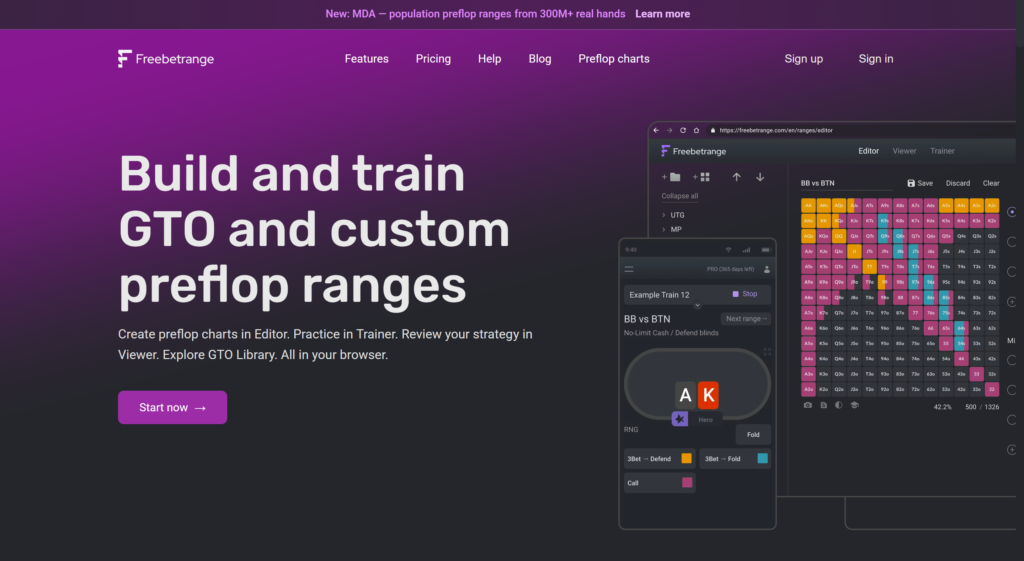
The platform consists of five sections:
GTO Library — ready-made sets of ranges for cash games, MTTs (multi-table tournaments), and Spin&Go. The ranges are based on GTO (mathematically optimal) strategy and are available in two formats: precise frequencies or simplified versions that are easier to memorize and apply at the table.
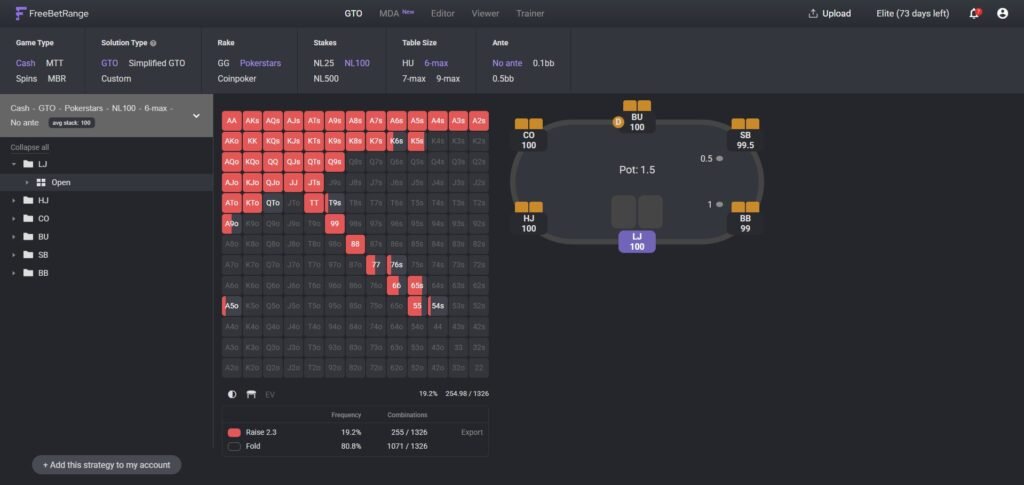
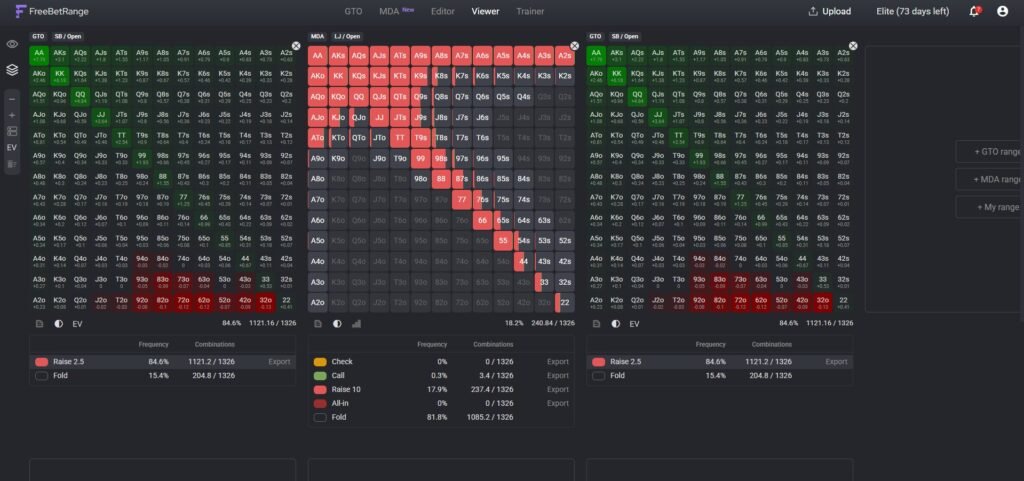
Viewer — a convenient range viewer. You can clearly see which hands belong to your range in each specific situation: UTG open-raise, CO call vs 3-bet, SB 3-bet, etc. You can compare multiple ranges at once. There’s also a table with EV values for each hand, and a built-in random number generator to help you accurately execute mixed strategies in real play.
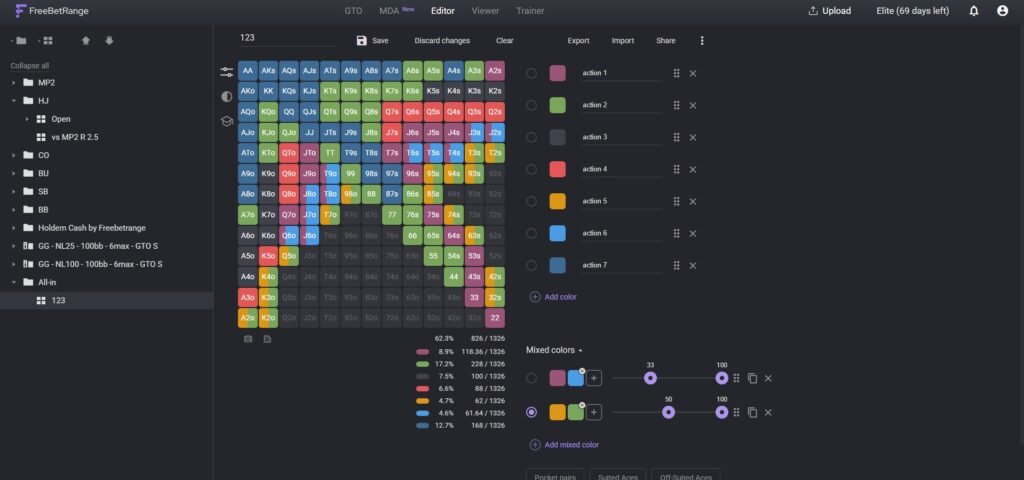
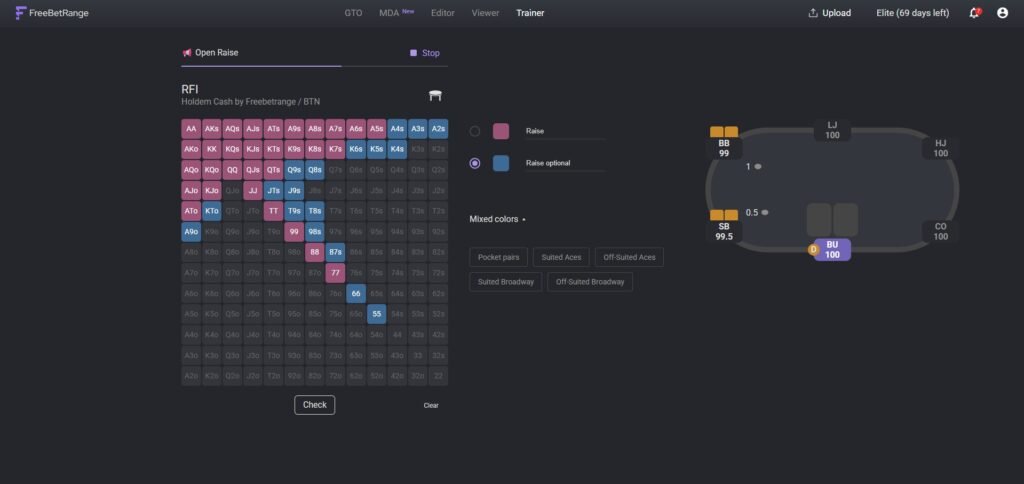
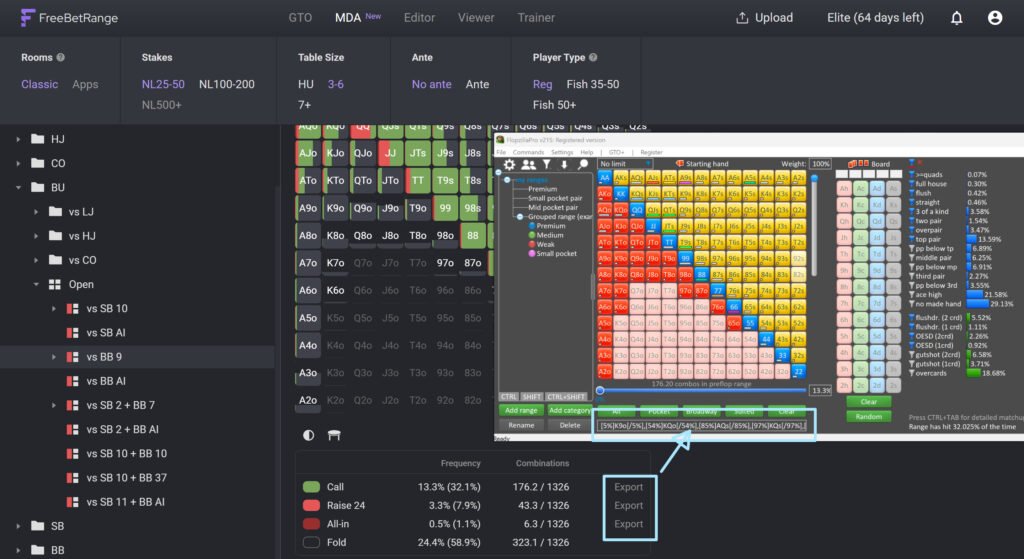
Editor — a tool where you create your own ranges. You can take a GTO range as a base and adjust it to your needs: add exploitative tweaks, highlight hands with colors, adjust frequencies, and add notes. It supports import and export from most popular poker programs.
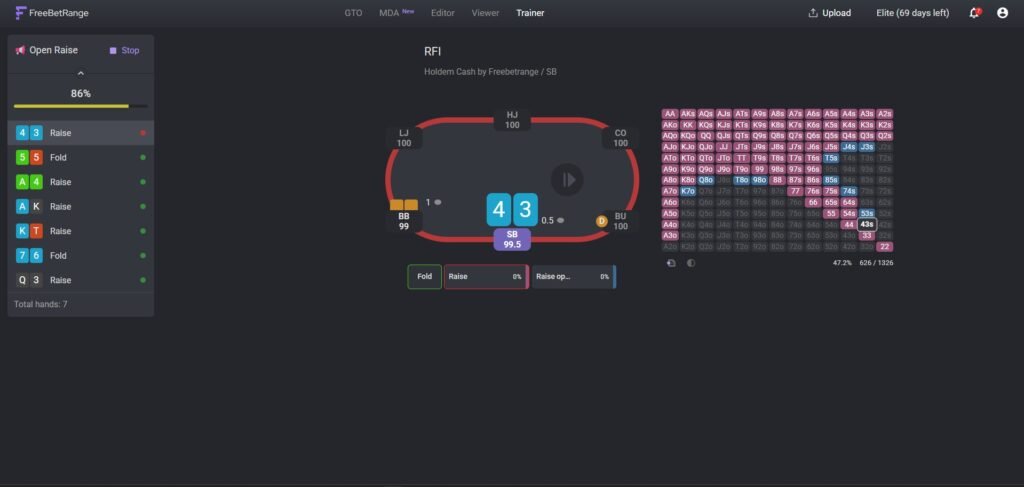
Trainer — a training tool that tests how well you’ve memorized your ranges. It has two modes: Classic — shows a specific hand in a specific situation and asks what you do; Range — asks you to reconstruct the entire range from memory. This is the tool that turns “knowing ranges” into actual instinct.
MDA (Mass Data Analysis) — a separate section that sets FreeBetRange apart from similar tools. These are ranges built from real player data, based on the analysis of over 300 million real cash game hands. The database is updated every six months to reflect current trends.
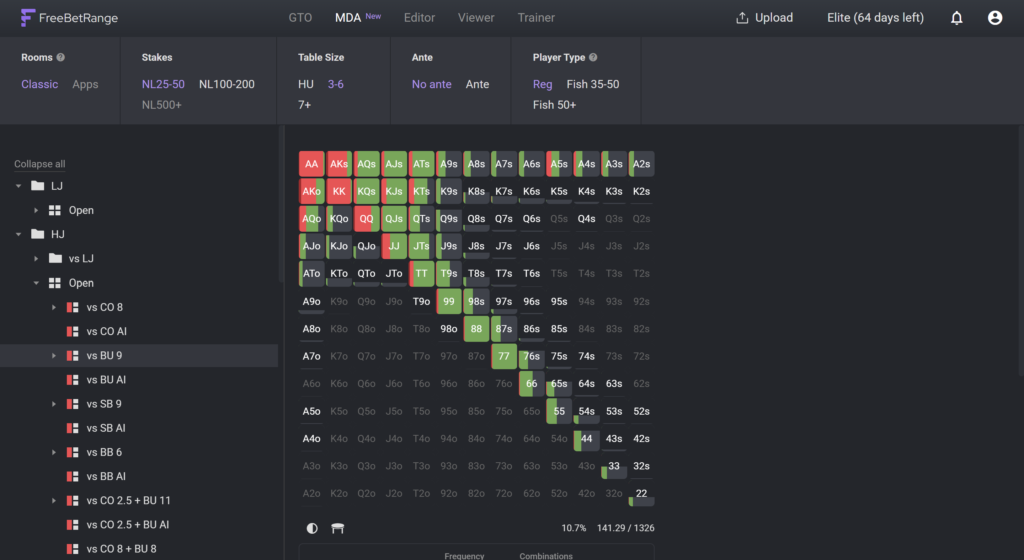
How it works in practice: you choose a player archetype (regular or recreational), the platform type (classic rooms like PokerStars, GGPoker, 888poker, WPN — or poker apps like PokerBros and PPPoker), the stake level, and table structure. The platform builds a complete preflop decision tree for the selected opponent type under those conditions. You’re not just seeing showdown stats — you get actual ranges reconstructed using statistical modeling of hidden hands.
Why is this useful? GTO strategy is mathematically optimal, but most opponents at real stakes deviate from it. MDA shows those deviations — where the pool folds too often, calls too wide, or under-defends the blinds. This becomes a direct foundation for building exploitative strategies that target the specific weaknesses of your player pool.
Step two: equity calculators
Once you have a foundation in ranges and a basic understanding of strategy, it’s time to add an equity calculator to your toolkit.
Equity is your share of the pot based on your probability of winning. If your hand has 65% equity against an opponent’s range, it means that in the long run, you win that pot 65% of the time. Understanding equity is the foundation of poker math and essential for making sound decisions at the table.
An equity calculator allows you to input your hand (or range) and your opponent’s hand (or range) and instantly get these numbers. It’s indispensable for hand reviews and self-analysis: you look at a situation, form a hypothesis about a mistake, test it with the calculator, and see whether your decision was mathematically justified.
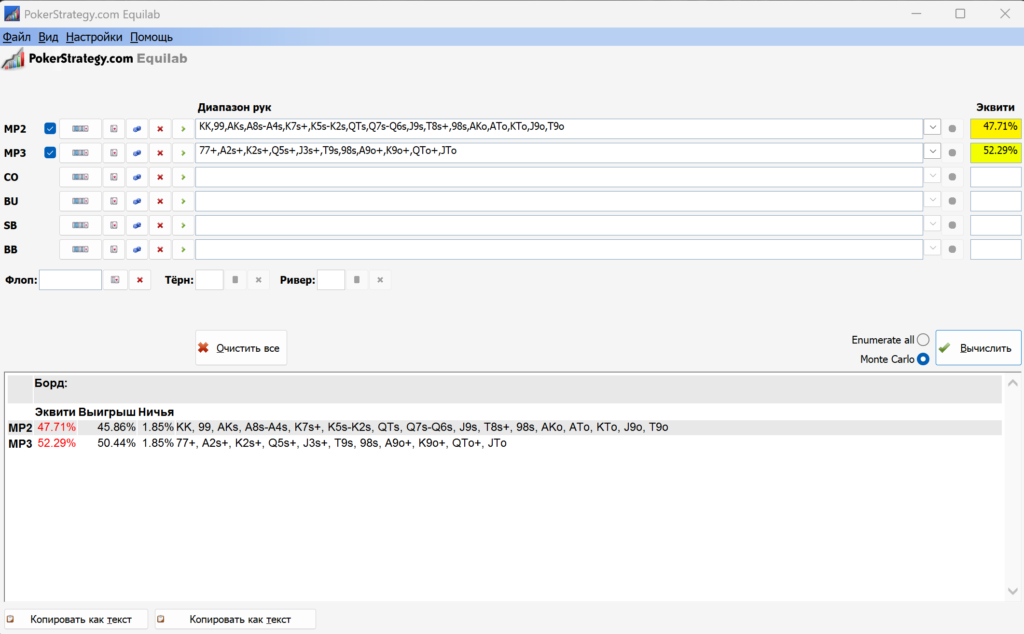
Equilab — a free tool from PokerStrategy and a standard for beginners. It lets you compare hands, assign custom ranges, and calculate equity on any street. The interface is simple and ideal for getting started. Available for Windows only.
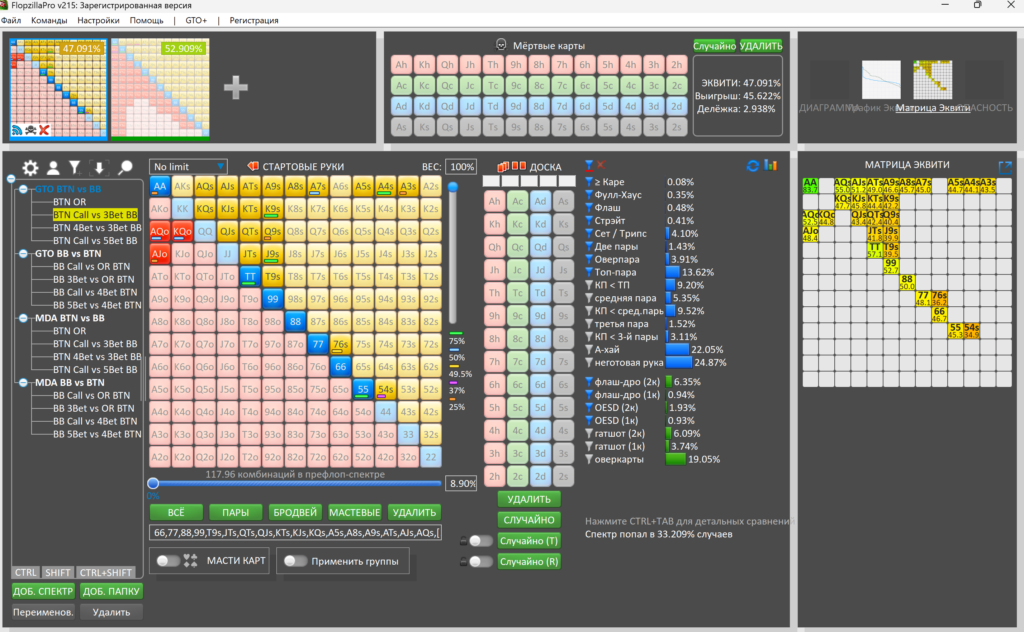
Flopzilla Pro — a more advanced tool that shows not only equity but also how a range connects with a given flop/turn/river: how many hands make a pair, two pair, set, straight draw, flush draw, etc. This helps you understand how favorable a board is for your range versus your opponent’s — one of the key postflop skills.
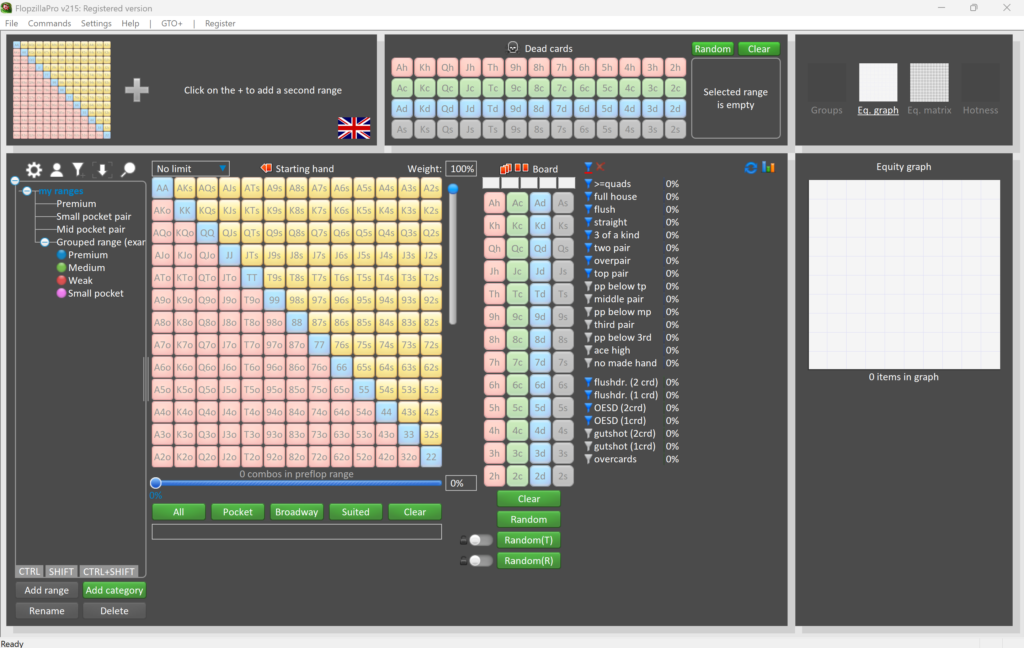
There’s an important practical point worth highlighting: FreeBetRange and equity calculators work perfectly together. You can take a ready-made range from the FreeBetRange GTO Library or build your own in the Editor, export it, and import it into Equilab — then analyze how your range performs against an opponent’s estimated range in a specific spot. For example: you open from CO and face a 3-bet from BTN — what’s the equity of your calling range against their 3-bet range from MDA? After running this kind of analysis even once, you start making much more informed decisions in similar situations at the table.
Step three: poker trackers
Once you understand the basics and have played several thousand hands, it’s time to move on to the next tool — a tracker.
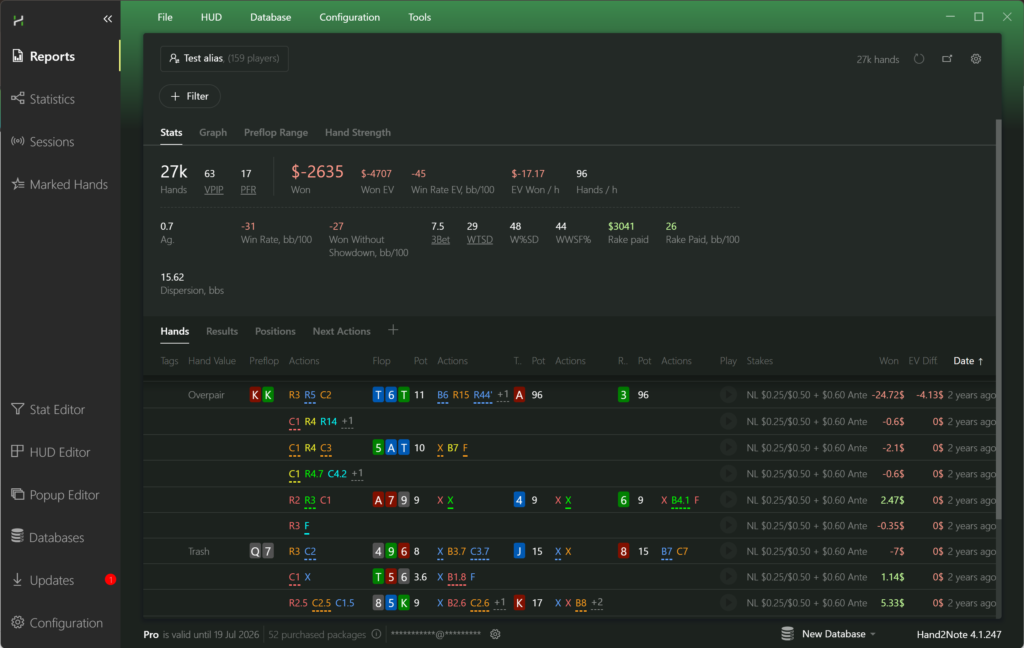
A tracker reads your hand history files (saved by the poker room on your computer) and builds a database. You get detailed statistics on every aspect of your game: which positions are profitable, where you’re losing money, how often you 3-bet, how often you go to showdown, how aggressive you are postflop, and more. This allows you to identify specific leaks in your play.
Most trackers also provide a HUD (heads-up display) — a panel with real-time stats directly on the table. Looking at an opponent, you can see their key tendencies: how often they enter pots, raise, bluff, and so on.
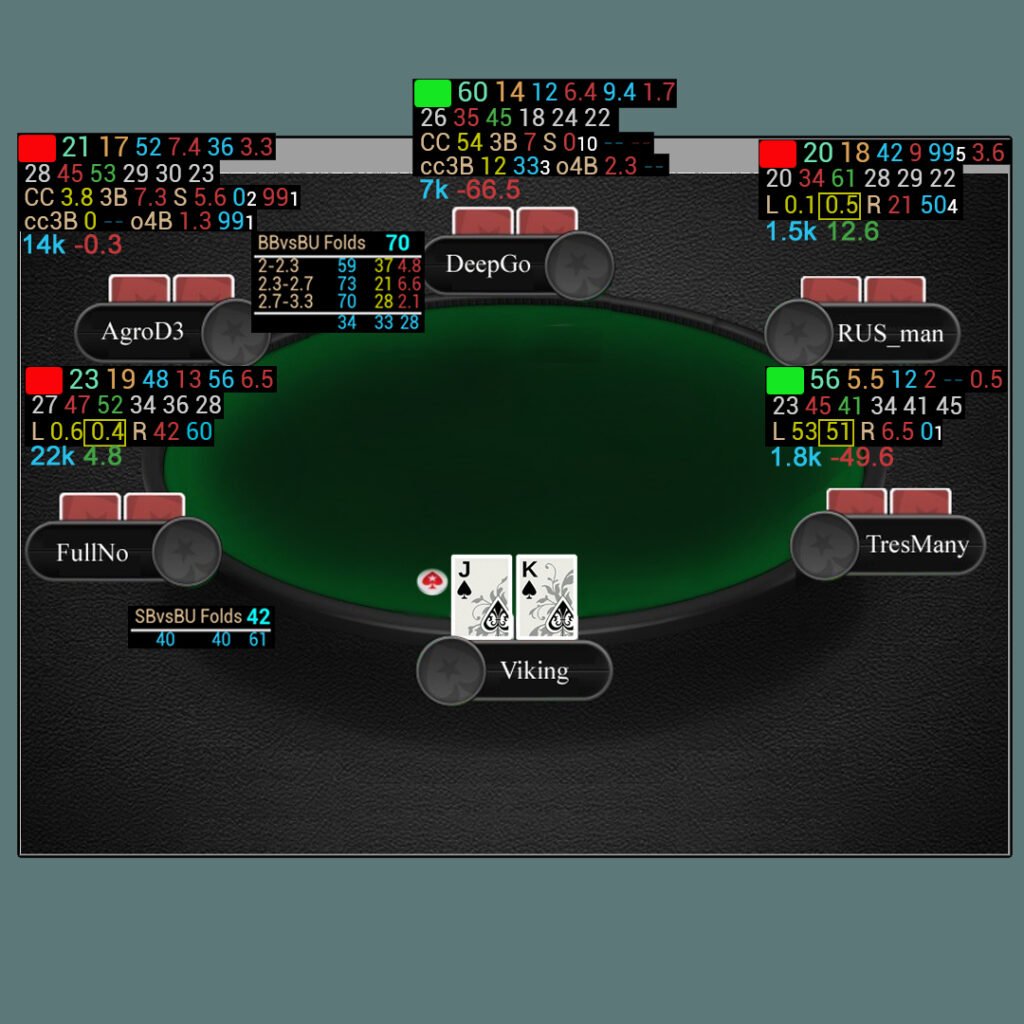
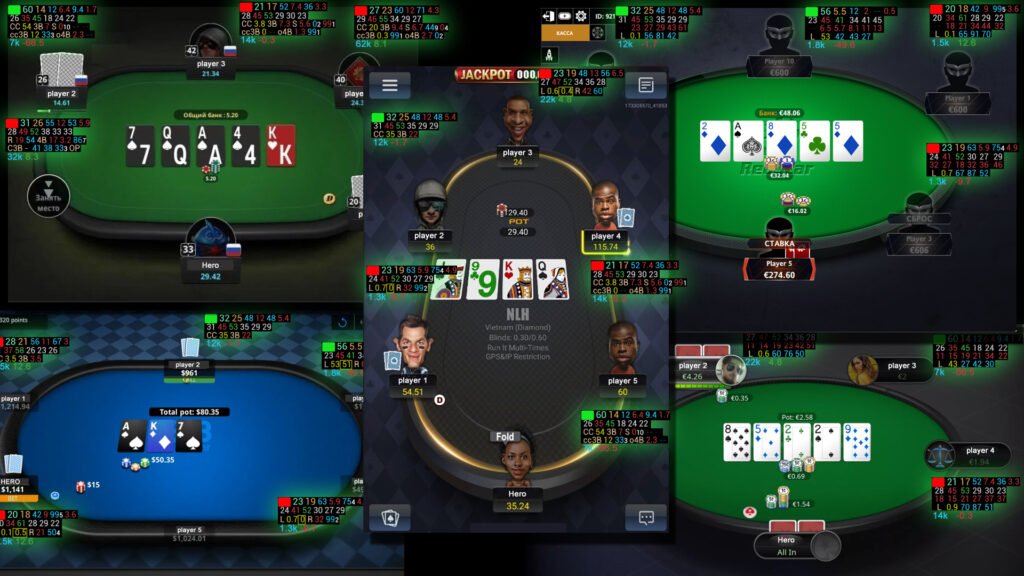
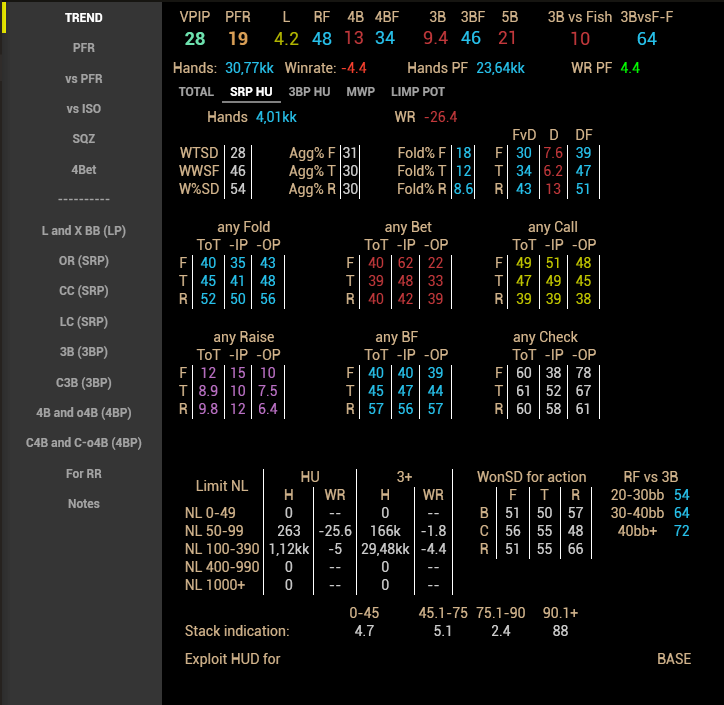
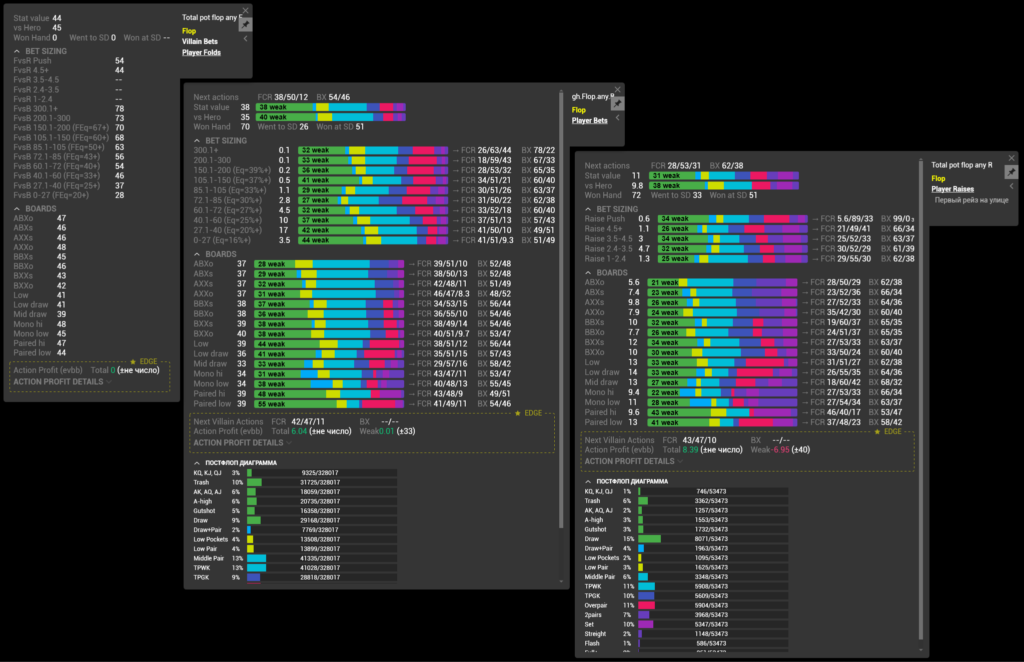
Key stats to focus on when reading a HUD:
- VPIP — the percentage of hands where a player voluntarily puts money into the pot. Indicates how loose or tight their range is.
- PFR — the percentage of hands where a player raises preflop. Combined with VPIP, it gives a basic player profile.
- 3Bet% — how often a player 3-bets. Important for decisions against aggressive opponents.
- Fold to 3Bet — how often a player folds to a 3-bet. If this stat is above 70%, the player can be exploited with aggressive 3-bets.
- AF (Aggression Factor) — the ratio of aggressive to passive actions postflop.
The leading tracker today is Hand2Note. It supports most modern poker rooms, offers highly customizable HUDs, and provides strong tools for analyzing your hand database.
Important: in many modern poker rooms (GGPokerOK, PartyPoker, PokerOK), the use of trackers and HUDs is strictly prohibited. Always check your room’s current rules before installing any software.
Step four: GTO solvers (advanced)
A solver is a program that calculates a mathematically optimal strategy for a specific situation. You define the parameters (both players’ ranges, the board, available bet sizes, stack depths), and the software outputs a strategy that cannot be exploited — assuming your opponent also plays optimally.
Popular solvers include GTO Wizard (a browser-based service with a large solution library and AI engine), PioSolver (a desktop standard for serious postflop analysis), and GTO+ (a more affordable alternative).
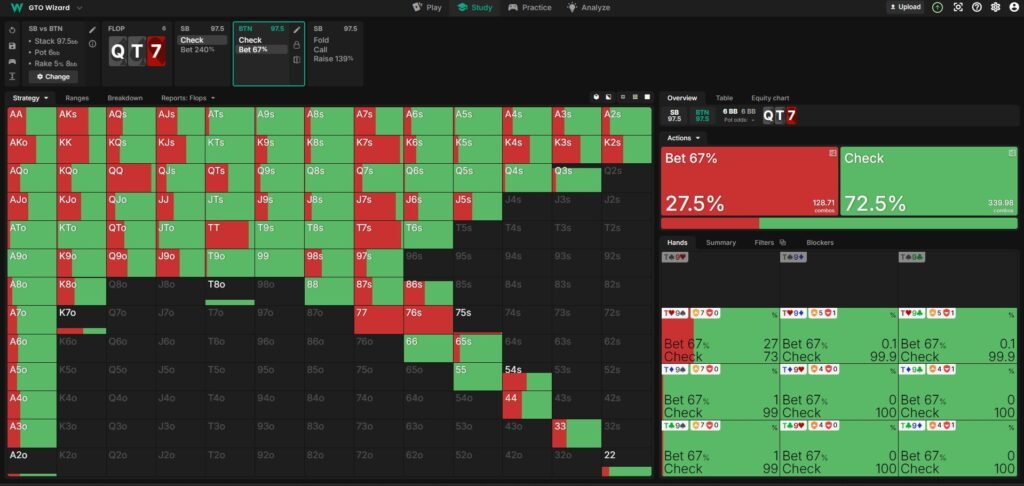
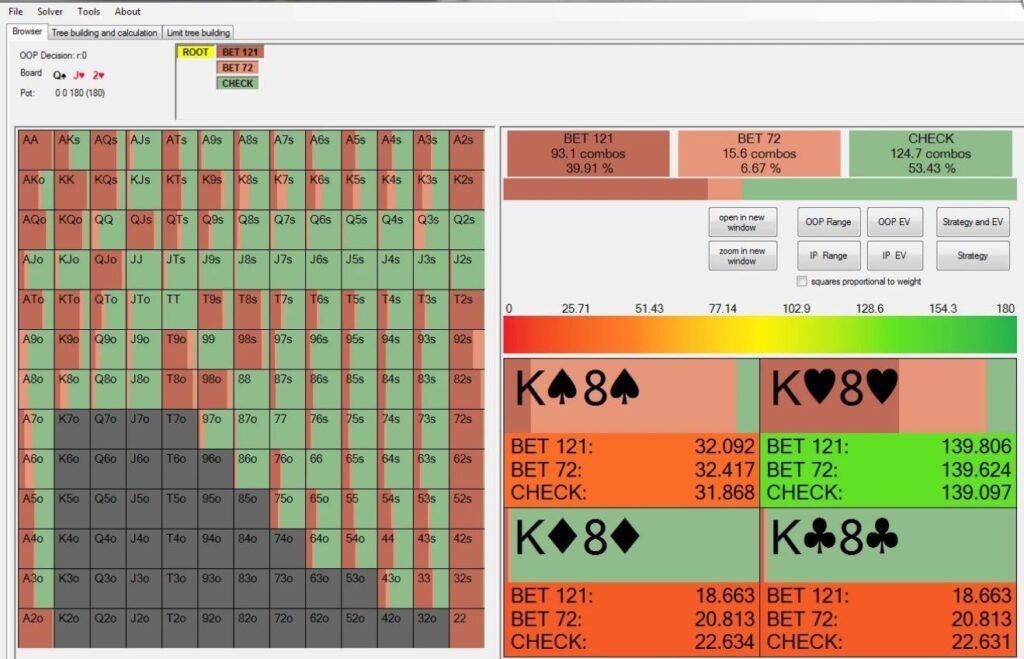
Why is this the final step? Because working with solvers requires an understanding of core concepts: ranges, frequencies, polarization, SPR, blind defense. Without this foundation, it’s impossible to correctly interpret solver outputs — and therefore to apply them.
That’s why systematic study of preflop ranges with FreeBetRange should come first: it builds the conceptual foundation that makes postflop solver work actually useful, rather than just a set of confusing numbers on a screen.
How should you structure your plan?
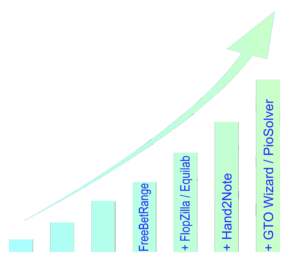
You don’t need to learn everything at once. Here’s a realistic progression:
First 2–4 weeks. Sign up for FreeBetRange, choose your format (cash, MTT, or Spin&Go), and start studying GTO ranges in the Viewer for each position. At the same time, explore MDA to see how the field actually plays at your stakes.
Next 1–1.5 months. Work actively in the Trainer — drill your ranges until they feel automatic. Install Equilab and start reviewing hands: take ranges from FreeBetRange and calculate equity in different spots. The goal is not to think at the table about what to do with AJo from MP, but to know it instinctively.
After 10–20k hands. Add a tracker (if allowed by your poker room), study your stats, and identify leaks.
Once you feel confident at your current stake. Start working with a postflop solver — analyze specific spots beyond preflop.
Summary
Poker software isn’t magic and it’s not a shortcut to winning. These are tools that help you learn faster and make better-informed decisions. The key is to learn them in the right order and use them consistently.
If you’re just starting out, begin with FreeBetRange: study GTO ranges, explore how the field actually plays through MDA, and drill your ranges in the Trainer until they become automatic. At the same time, use Equilab to analyze specific spots. These two tools will cover the most important fundamentals and create a solid foundation for everything that comes next.

Master GTO preflop strategy, build your own ranges, and train smarter — all in one powerful tool.
Try FreeBetRange